⭐ You can now see Google from anywhere in the world
1. Pin the extension so it is always one click away
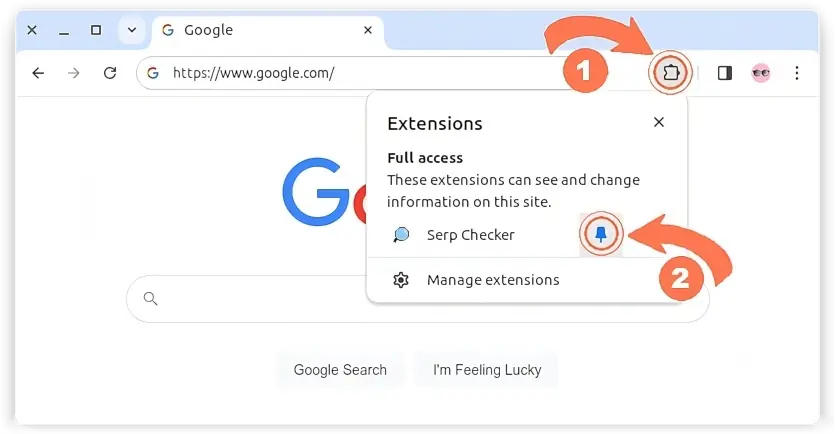
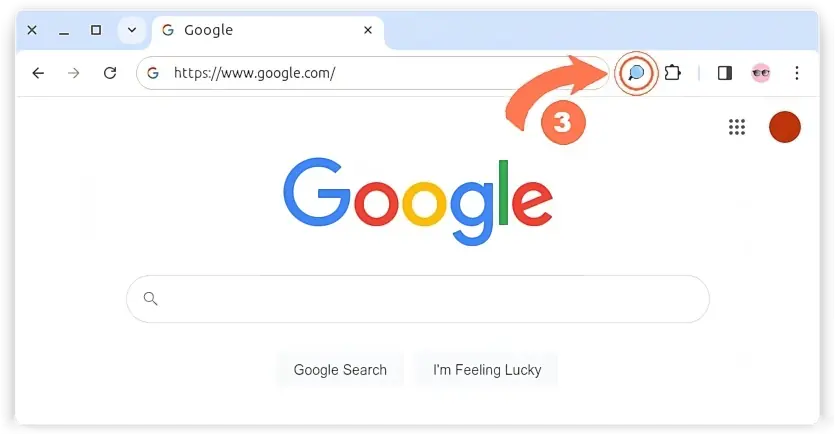
2. Click the SERP Checker icon, the side panel opens next to your results
3. Type a country, a city or a full street address and pick it. That single click switches the extension on and reloads Google for that place.
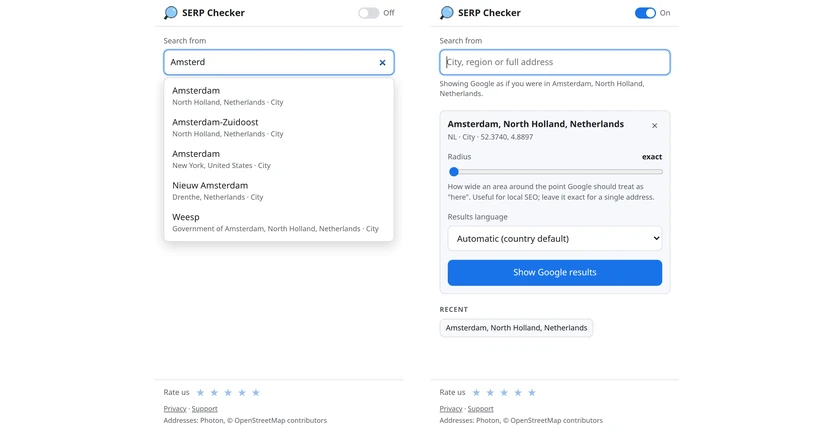
Tip: the radius slider is how precisely you claim to know where you are. Exact means that one address. Widening it only changes what Google shows once the circle covers a whole region, which we measured rather than guessed.